What is DWF

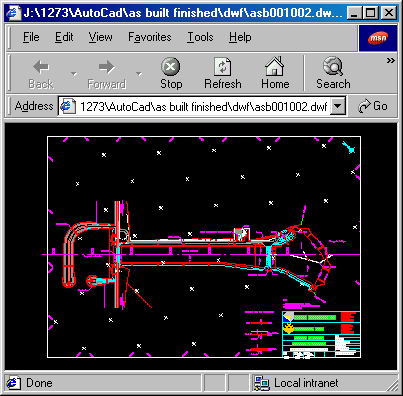
DWF or Drawing Web Format is a file format which allows quick loading of AutoCad drawings over a network connection. To display DWF files in a web browser the AutoDesk Whip! plug-in needs to be loaded. This plug-in is provided on this CD. To start loading this plug-in click here.


Conventions

[OK]Button
"Option"Option

Installation

After starting the Whip! setup program the window below will appear. Select
"Run this program from its current location" option and click [OK].
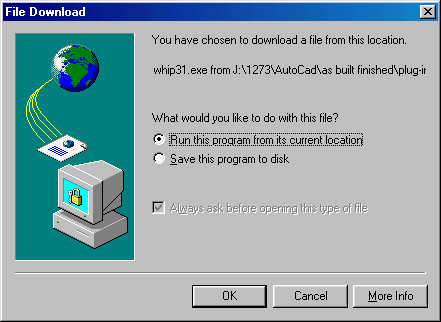


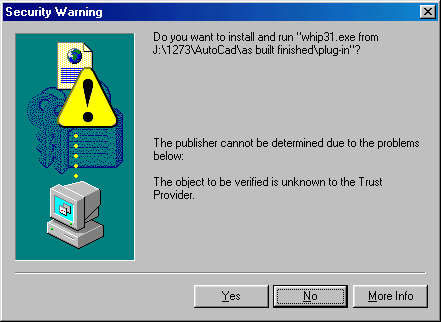
The following security warning may be generated because you are running the setup from a CD and not over a network connection. You may ignore it by clicking
[Yes]. Then click [I Accept] on the "Whip3.1 License Agreement" window, [Yes] on the "Software License Agreement" window.


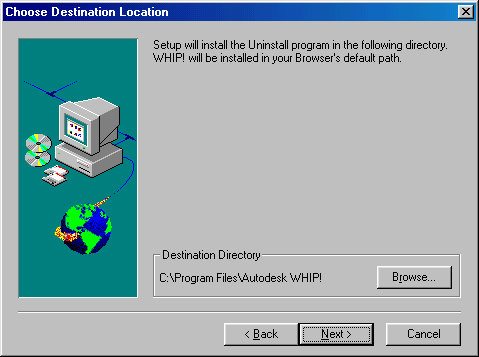
Choose the destination location, normally the default destination will do and click
[Next >] and click [Next >] on the "Start copying files" window. Installation should commence now. After loading all files select "Restart computer now" and click the [OK] the button to complete installing Whip!.


Using Whip!

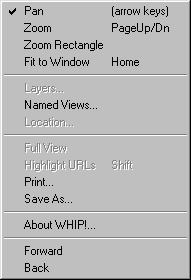
Whip! Will start automatically when a DWF file is loaded in an internet browser. Clicking with the right-hand mousebutton will cause the following menu to appear:


PanShifts the drawing with the mouse or the arrow keys
ZoomZooms in or out with mouse or the Page Up or -Down keys
Zoom RectangleChanges the size to area selected with the mouse
Fit to WindowFits the drawing to the window
Named ViewsNone defined on this compact disc
PrintDump current view on printer
Save AsSaves drawing
About WhipAbout this plug-in
ForwardNot used on this Compact Disc
BackNot use on this Compact Disc